Quick Takeaway: If an app lets you subscribe in one tap from bed yet forces you through nine hidden menus, desktop-only settings, and guilt-trip popups to cancel, that isn’t clunky design—it is a deliberate psychological trap called a Dark Pattern. Here is how to spot the 7 sneakiest tricks before they drain your wallet.
Have you ever noticed how starting a free trial takes one effortless thumb tap with your eyes half-closed—yet cancelling that exact same subscription requires a laptop, four buried settings menus, two exit surveys, and a retention screen begging you to reconsider?
You aren’t bad with technology, and that button wasn’t hard to find by accident.
Teams of behavioral psychologists, growth engineers, and A/B-testing specialists spend months fine-tuning button colors, font sizes, and countdown timers to steer your finger away from the exit.
UX researcher Harry Brignull coined a name for these deceptive design interfaces: Dark Patterns. Once you see the X-ray blueprint behind the seven most common ones, you will start catching them everywhere you tap.
1. The “Roach Motel” (1 Click In, 9 Screens Out)
Named after the old pest-trap slogan—“Roaches check in, but they don’t check out”—this is the undisputed king of subscription traps.
Notice how the Start Free Trial button glows in giant high-contrast green right under your thumb. Try leaving a month later, and suddenly the mobile app claims “Billing can only be managed on a desktop web browser,” hides the link beneath Account → Plan → Manage → Pause Instead? → Continue, and **swaps the button colors on the final screen** so the big bright button actually says Keep My Membership while Confirm Cancel blends into the white background.
2. Fake Urgency & Phantom Crowds (“19 People Viewing Right Now!”)
Open a flash-sale storefront or budget hotel listing at 3:17 AM on a quiet Tuesday, and red alert badges immediately shout at you:
- “Hurry! 19 people are viewing this exact item right now!”
- “Special discount expires in
04:59!”
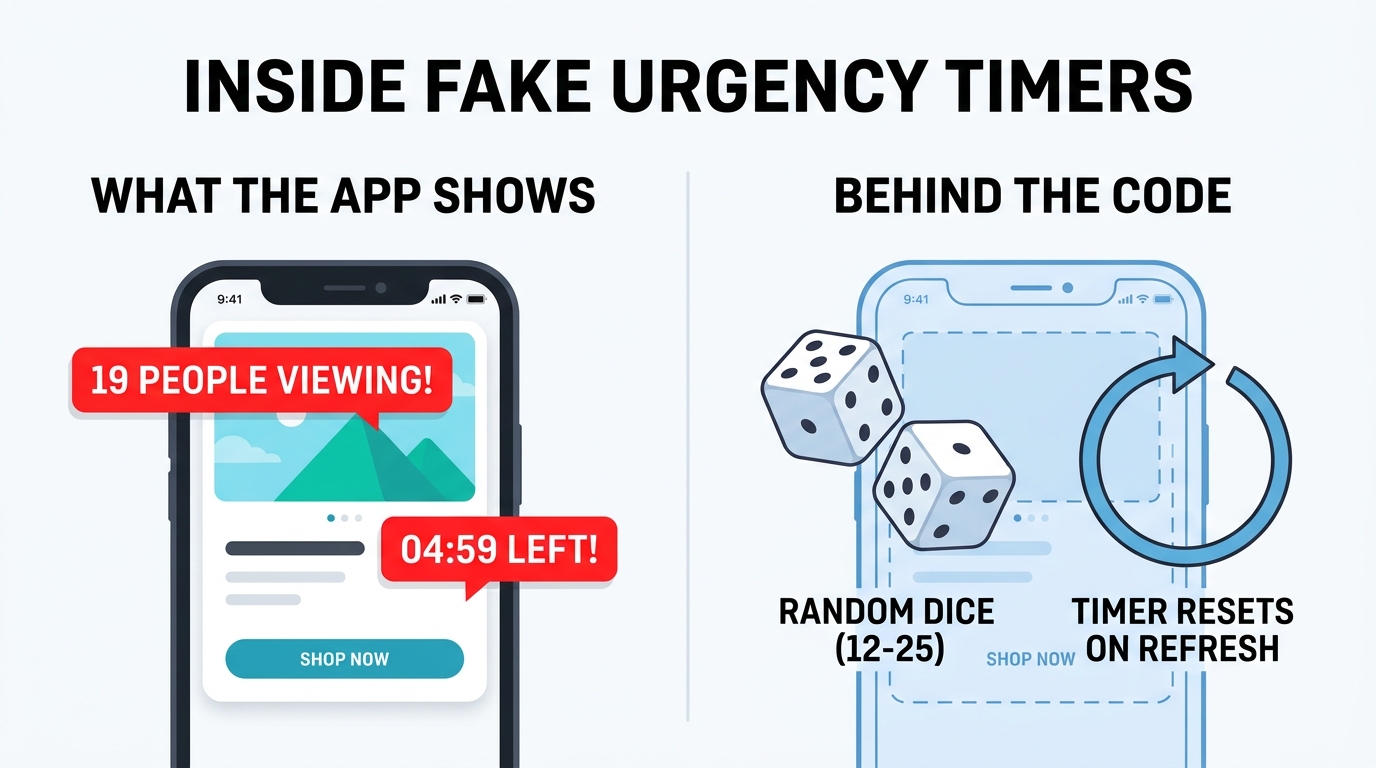
When consumer watchdogs inspected the source code behind dozens of aggressive online stores, they found scripts literally rolling virtual dice—generating a random number between 12 and 25 every time the page loaded, and resetting the 5-minute countdown right back to 05:00 the moment you hit Refresh.
3–6. Guilt Trips, Cart Ninjas, Masked Ads & Drip Pricing
Keep an eye out this week and you will spot all four of these sibling dark patterns in the wild:
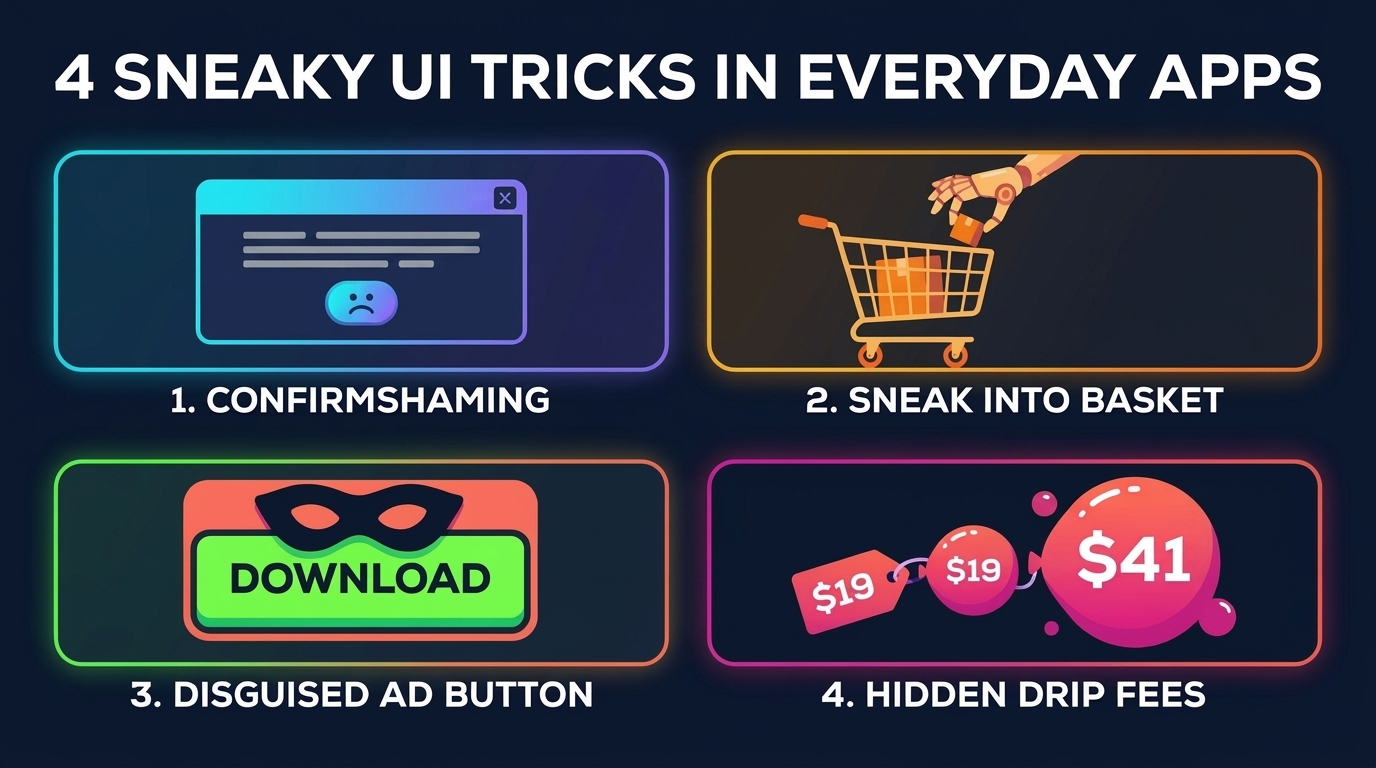
- 3. Confirmshaming (Weaponized Guilt): Instead of a polite “No thanks” button on a popup offer, the close link forces you to click an embarrassing sentence like “No thanks, I hate saving money” or “I prefer paying full price.”
- 4. Sneak-into-Basket: Right before you pay for a bus ticket, flight, or food order, a ₹99 ($3) “VIP Assurance,” “Weather Protection,” or add-on box sits quietly pre-checked inside a collapsed menu you never opened.
- 5. Disguised Ad Buttons: Free file-converter and utility sites surround a tiny grey real download link with three giant, shiny green
DOWNLOAD NOWbanner ads designed to hijack a hurried click. - 6. Drip Pricing: The event ticket, hotel room, or meal hooks you at $19 on the search screen. Only after you invest ten minutes picking seats and entering card details do Platform Fee + Packaging Charge + Convenience Fee + Surge Handling balloon the final checkout total to $41.
7. The Exhaustion Cookie Maze (“Privacy Zuckering”)
Ever wonder why cookie popups make Accept All a single cheerful neon button, while declining sends you into a dense wall of 140 individual grey “Legitimate Interest” toggles? Designers aren’t asking for your preference—they are betting that within four seconds, human fatigue wins and you click Accept All just to read the article.
4 Simple Habits That Make Your Wallet Trap-Proof
Once you recognize dark patterns, four tiny habits disarm almost all of them:
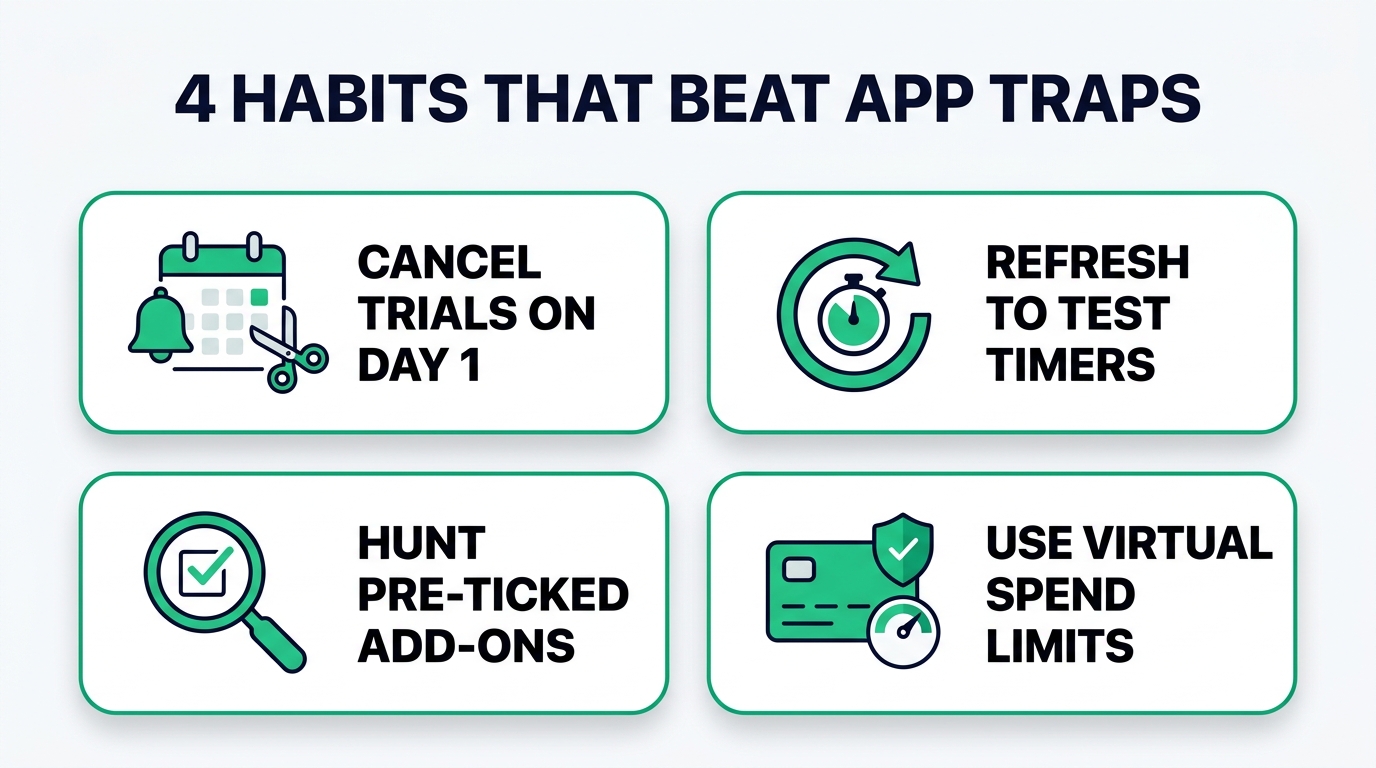
- Cancel Free Trials 30 Seconds After Signing Up: On Apple’s App Store, Google Play, and most major apps, cancelling a 7-day trial on Day 1 still lets you enjoy all 7 days free—it simply kills the silent Day-8 auto-renewal before you can forget!
- Test Flash-Sale Timers in Incognito Mode: When an unfamiliar store shouts “Offer ends in 4 minutes!”, open the same link in a private tab. If the timer resets to
05:00, walk away or shop calmly. - Read Checkout Screens Bottom-Up: Always scan upward from the final grand total before tapping Pay—that’s where pre-ticked add-ons and auto-added tips hide.
- Use Virtual Spend Caps & Vet Unfamiliar Store Links: Before typing card details into a viral social-media ad store full of spinning discount wheels and countdown clocks, use a spend-capped virtual card and run the domain through a free Domain & URL Blacklist Checker to verify it isn’t flagged for phishing or scam activity.